iSubmitby the MCNP–ISAP Research & Development Center RDCMCNPISAP

No more guessing which office has your paper.

From proposal to plagiarism check, iSubmit shows your group's phase, who is reviewing it, and what to do next.

YOUR GROUP · EXAMPLE
Your research title
Course · Section
With the Statistician
  1. ProposalCleared
  2. 2StatisticsNext: receive your statistical results
  3. 3Final
  4. 4Plagiarism check
Final defenseAppears here once published
How it works

Five phases, always in this order

Each phase opens when the one before it is done. iSubmit shows where your group is, and who has your paper right now.

  1. PHASE 01

    Register your group

    The leader creates the group; teammates join by scanning the group's QR code or with its invite code.

  2. PHASE 02

    Proposal

    After your research teacher, adviser and dean have checked and signed your paper, upload the seven proposal requirements. They are checked, then your section is endorsed for a defense date, confirmed and published.

    On paperResearch teacher · Adviser · Dean
    In iSubmitFocal Person · Coordinator · Research office
  3. PHASE 03

    Statistics

    Opens once your proposal defense is scheduled. Hand in your coded data, pay with RDC Form 011 to get your control number, then receive your statistical results.

    In iSubmitStatistician
  4. PHASE 04

    Final

    Once your statistics are done and your final paper is signed the same way, upload the seven final requirements, ending in your final defense.

    On paperResearch teacher · Adviser · Dean
    In iSubmitFocal Person · Coordinator · Research office
  5. PHASE 05

    Plagiarism

    Upload the final manuscript and pay with RDC Form 13 for the Turnitin check. Each revision is a new round.

    In iSubmitResearch office
You don't pick your defense date. Your Focal Person schedules your whole section, and the date appears in iSubmit once the research office publishes it.
Blank forms

Download the forms you'll need

Always the current version for your institution. Fill them in, have them signed, then upload them in iSubmit at the step that asks for them.

Form 002 Application for Research Defense
Form Assigned Adviser Form
Form 006 Adviser Endorsement
Form 008 Proposal Review reference
Form Capsule Proposal template
Form Proposal Clearing Form
RDC Form 011 Statistical Treatment payment form
Form Minutes of the Proposal Defense
Form 005 Defense Checklist
RDC Form 13 Plagiarism payment form
Meet the RDC team

The people behind your paper

One Research & Development Center serving both MCNP and ISAP.

Leadership & Coordinators

Dr. Ryan C. Fontanilla, Ph.D.-EM Executive Leadership Dr. Ryan C. Fontanilla, Ph.D.-EM Research Director

Directs the research agenda, ethics compliance and research linkages for MCNP and ISAP.

Ms. Rio Frances G. Callores, MSc MCNP Health Wing Ms. Rio Frances G. Callores, MSc MCNP Research Coordinator

Oversees health sciences research: Nursing, Medical Technology, Radiologic Technology, Pharmacy and Physical Therapy.

Engr. KC R. Placido ISAP Multidisciplinary Wing Engr. KC R. Placido ISAP Research Coordinator

Oversees Criminology, Customs Administration, IT, Teacher Education, Business and the Arts.

Biostatisticians

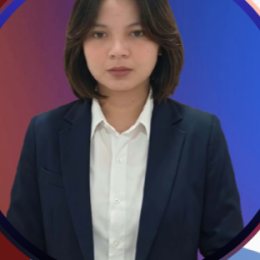
Ms. Tshaine Anne T. Labang, LPT Faculty & Admin Analytics Ms. Tshaine Anne T. Labang, LPT Statistician for Faculty and Administration

Statistics for faculty and institutional research, and faculty research clearances.

Ms. Ruchelle B. Langcay Health Biostatistics Desk Ms. Ruchelle B. Langcay MCNP Statistician

Statistical treatment and Form 011 clearance for MCNP theses.

Ms. Maryjane B. Agabin Multidisciplinary Biostatistics Desk Ms. Maryjane B. Agabin ISAP Statistician

Statistical treatment, instrument testing and clearance for ISAP theses.

Systems & Secretariat

Ms. Lea M. Paddayuman Secretariat & Records Ms. Lea M. Paddayuman Secretary

Defense scheduling, records, and completion clearances.

Mr. Jerald J. Guiquing Systems & Digital Repositories Mr. Jerald J. Guiquing IT Specialist

The digital repository, research journals and the Turnitin database.

VISIT OR WRITE

Research & Development Center

Signed in? Message the office from your dashboard instead.

HELP DESK

Can't sign in, or something looks wrong?

Lost access to your email, typed the wrong School ID, or need to change groups? Send a request and the administrator will get back to you.